

0-8424003692 / 93 / 9323119264 / 9890018271 / 7356381874
Choosing a China-based Cable Direct Attach supplier requires more than comparing unit prices. Data-center operators need dependable links between switches, servers, and storage, often inside crowded racks where every centimeter matters. Dell’Oro Group reported that data-center capital spending grew sharply in 2024, reflecting expanding infrastructure investment. That trend raises demand for faster connections, but spending growth alone does not prove a cable is reliable. It is not proof.
A capable supplier should explain the trade-offs between passive and active copper assemblies, supported data rates, and practical reach. Ask for compatibility details against the equipment’s port specifications, plus production traceability and test records. For example, a 400G cable that fits the port may still fail a system’s interoperability or thermal requirements. Small details matter. Standards and industry specifications help define interfaces, but they cannot replace validation in the buyer’s actual network.
This guide considers how to assess Chinese suppliers through engineering support, manufacturing consistency, documentation, and delivery capability. Request clear evidence: sample test results, connector inspection criteria, and a written process for handling defects. Compare quotations carefully, since a low price may exclude testing or after-sales support. I would also question any supplier claiming universal compatibility; real deployments vary. The best choice is not simply the cheapest factory, but one that can demonstrate repeatable performance and communicate limitations plainly. That takes verification.
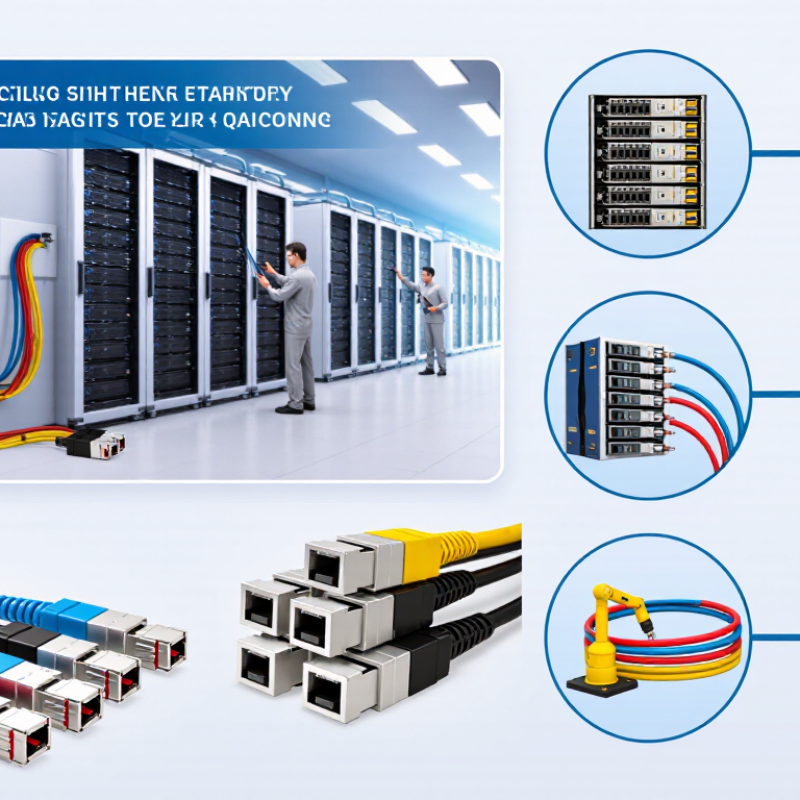
A Direct Attach Cable (DAC) is a copper cable with transceiver-style connectors already attached at both ends. It links compatible switches, servers, and storage devices without separate optical modules. In a data-center rack, it can connect neighboring ports with fewer components and less installation work. No loose optics to handle.
DACs are generally passive or active. Passive versions carry signals over copper without signal-conditioning electronics, while active versions include circuitry to support longer reaches or specific performance needs. The right choice depends on equipment compatibility, data rate, cable length, and port requirements. A short cable may look simple, but connector coding and supported specifications still matter.
Before choosing a cable, measure the route between ports, including the bend around the rack rail. Check the cable’s stated reach and the device documentation; do not assume every cable with a matching connector will work. Copper cables can also be heavier and less flexible than expected, especially in crowded racks. That detail is easy to miss. Leave enough room for airflow and future maintenance, and avoid tight bends that strain the cable or connectors. A tidy installation is useful, but it does not replace checking link status and error counters after connection.
| Evaluation Aspect | Passive DAC | Active DAC | What to Verify with a Supplier |
|---|---|---|---|
| What it is | A twinaxial copper cable assembly with connectors at both ends. It carries high-speed electrical signals without signal-processing electronics in the cable. | A copper cable assembly with electronic components in the connector ends to condition or equalize signals. | Ask whether the offered assembly is passive or active, and request a product specification identifying its construction. |
| Common uses | Short links between switches, servers, and storage equipment in data centers. | Similar equipment connections where additional signal conditioning is needed, often for a longer reach than a comparable passive assembly. | Confirm that the cable type and length are supported by both devices and suit the installation. |
| Typical reach | Usually selected for short connections, commonly a few metres or less. The supported reach depends on data rate, cable design, and equipment specifications. | May support longer copper links than passive DAC, but the maximum reach depends on the specific product and data rate. | Request a data-rate-versus-length specification rather than relying on a single general reach figure. |
| Power and heat | Requires no active signal-conditioning power in the cable and generally produces less heat. | Uses power for its electronic components and may generate more heat than passive DAC. | Check the device’s power budget, port requirements, and any stated operating-temperature limits. |
| Latency and conversion | Provides a direct electrical connection without optical-to-electrical conversion. | Conditions the electrical signal but does not convert it into an optical link. | Confirm the product is a copper DAC if that is required; an active optical cable (AOC) is a different product category. |
| Supported data rate | Available for multiple Ethernet and other high-speed interface rates; compatibility is specific to the cable and equipment. | Also available for multiple rates, with supported rates determined by the electronics and host-device compatibility. | Match the cable’s stated protocol and rate to the ports at both ends. Do not assume that connector fit alone guarantees compatibility. |
| Connectors and coding | Often supplied with fixed connector modules, such as SFP-family or QSFP-family form factors, depending on the application. | Also commonly uses fixed connector modules, which may include electronic identification or compatibility coding. | Confirm connector form factor, pinout, coding, and whether the cable is recognized by the intended equipment. |
| Compliance and testing | Performance depends on the cable assembly, connector quality, and manufacturing consistency. | Performance also depends on the active electronics and their interaction with the host ports. | Ask for applicable test reports, production inspection records, and relevant safety or regulatory documentation for the target market. |
| Quality and reliability | Inspect cable construction, connector fit, labeling, and test consistency across production batches. | In addition to cable and connector quality, assess electronic-component quality and thermal performance. | Review the supplier’s quality-control process, traceability, warranty terms, and procedure for handling failures. |
| Choosing a supplier in China | Compare suppliers using the same specifications and test conditions. | Request samples and validate them with the actual equipment and intended cable length. | Evaluate documented compatibility, technical support, sample results, lead time, customization capability, and total delivered cost. A “best” supplier depends on the application and verified requirements. |
Note: Direct attach cable (DAC) is a short-reach copper cable assembly with connector modules attached. Exact reach, data rate, and equipment compatibility vary by product; verify them against the supplier’s specifications and the device manufacturers’ requirements.